Rewound turns your phone into the camcorder you had in 1998. 5,000+ looks run live in the viewfinder, and every photo and video comes out exactly as you saw it.
The highlights.
- PLAY00:00:005,000+ LOOKS
5,000+ looks, live. VHS to 8mm to neon, right in the viewfinder.
- PLAY00:00:00DISPOSABLE
What you see is what you save. Photos and videos come out exactly like the preview.
- PLAY00:00:00CAMCORDER 85
A real camcorder. REC, timecode and a date stamp on the screen.
- PLAY00:00:00PSYCHEDELIC 20
Make every look yours. Turn it down, turn it up, slow it down or freeze it.
- PLAY00:00:00PALM NEON
New: VICE. Sixty looks of neon coasts, sunsets and loading screens.
See the difference.
The same clip, straight from the phone and through Rewound. Drag the line.
PICK A TAPE.
Every era. Every tape.
Every era.
Every tape.
From 1900s glass plates to 2010s feeds, every look is made by hand and runs live, so you see the shot before you take it. 60+ families, and more on the way.
Pick a tape to play it.
Every channel at once.
Twelve looks, twelve scenes, all live. Glitch, thermal, pop art, old computers and more.
Every decade, on tape.
From 1900s glass plates to 2010s feeds. Scroll the years.
Your photo.
Our looks.
These are the app’s real filters, running right here in your browser. Your photo never leaves it.
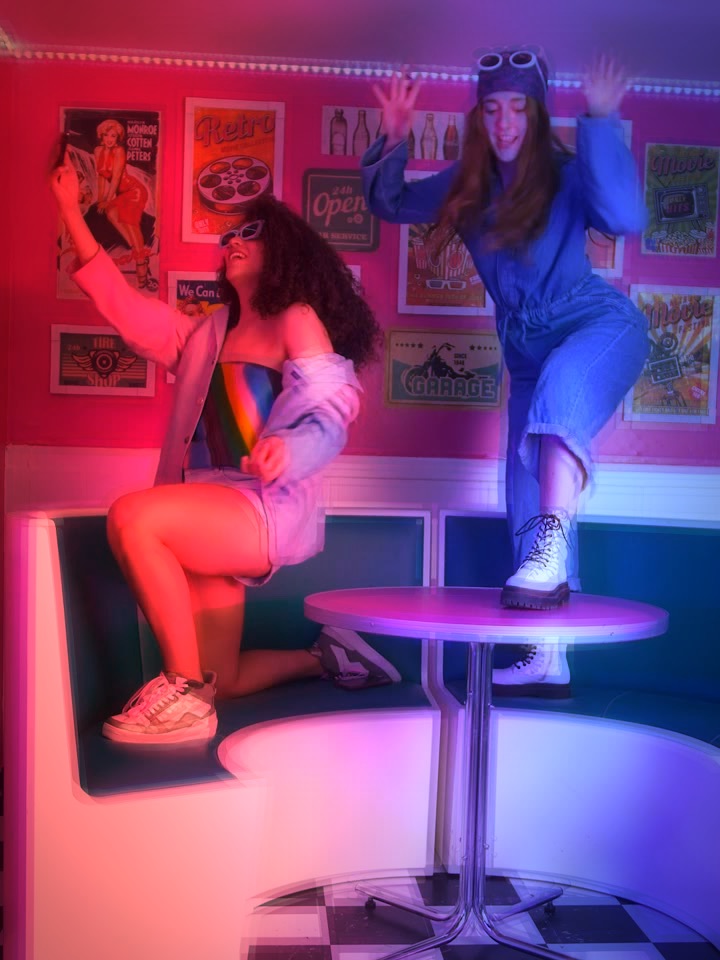
Swipe or use ← → to change the look. Press and hold to see the original.
SHOOT. REWIND. SHARE.
Shoots like 1998. Works like today.
Made for the moment.
Pick a scene, roll the tape. These looks fit it best.
Turn it up. Or down.
Every look has its own intensity, and remembers it. Slide it here, the way you would in the app.
Shoots like 1998.
Works like today.
Everything a camcorder had, minus the tape. And everything a phone can do, minus the gloss.
The orange date in the corner, printed on your shots if you want it.
A camcorder viewfinder that counts every second you roll.
Your own countdown, and a series of photos with one press.
Two or four shots on a single print.
Cut your clip and export it with the look burned in, up to 4K.¹
Every shot waits in the app until you save or share it.
Inside the app.
The first thing Rewound shows you, played with its own looks.
Your shots never
leave your phone.
Rewound applies every look on your device and keeps your shots in its own gallery. A shot goes to Photos only when you save it.
READY TO ROLL?
Every look. Every tool.
A new tape every month.
Rewound PRO gets a new tape of looks every month. This month: VICE, sixty looks of neon coasts, sunsets and loading screens. The next ones are still sealed.
REWOUND PRO
Start free with a set of looks. PRO unlocks the rest, the settings of every look and 4K export.
- 5,000+ looksEvery family, every era.
- Look settingsThe controls of every look.
- 4K exportOn supported devices.¹
- New tapes monthlyFresh looks every month.
REWOUND
Coming soon to the App Store.
Questions? Answers.
When does Rewound come out?
Soon, on the App Store and Google Play. On launch day this page links to both stores.
Is Rewound free?
Yes. Rewound is free to use with a set of free looks, with no ads and no watermark. Rewound PRO unlocks every look, the settings of each look and 4K export.
Do the looks work on videos too?
Yes. Every look runs live in the viewfinder and works the same on photos and videos. Half Frame and Photobooth are for photos.
Do I need an internet connection?
No. The looks run on your phone, so you can shoot anywhere. You only need a connection to buy or restore Rewound PRO.
Can I change a look?
Yes. Press and hold a look to slow its motion down or freeze it and set its intensity. With PRO you also get the look's own settings. Every look remembers how you left it.
Does it work with the front camera?
Yes. Both cameras, with every look, for photos and videos.
How often do new looks come?
Every month a new tape of looks arrives for Rewound PRO. This month it is VICE.
Do I need an account?
No. There is no sign-in. Your shots never leave your phone.
Where are my photos and videos?
In Rewound’s own gallery on your phone. They go to your Photos library only when you tap Save to Photos or share them. Deleting the app deletes the gallery, so save what matters.
My phone gets warm when I film. Is that normal?
Yes. Live looks, 4K and 60 fps use a lot of processing power. Take breaks, keep the phone out of direct sun, and pick a lighter look or a lower resolution if it gets very hot.
4K is not available on my phone.
4K video export depends on your device and is part of Rewound PRO. Other devices use 1080p.